Sgt J.R. Church getting married
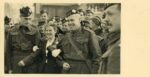
Sgt J. R. Church and wife are leaving the church under a cloud of confetti. P0482 The wedding, held in the spring of 1940 was at St. Georges in Aldershot.
…- Images
1995000394
Sgt J. R. Church and wife are leaving the church under a cloud of confetti. P0482 The wedding, held in the spring of 1940 was at St. Georges in Aldershot.
…
close up of Sergeant J (Jack) R Church and wife at wedding, escorted by CQMS Thomas Church,, father of the groom. P0483
…
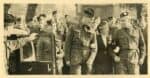
Sgt J R Church – husband and wife walk to car after their wedding escorted by the CQMS Thomas Church, father of the groom. P0484
…
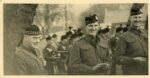
Members of the wedding party at Sgt J.R. Church’s wedding. To the left, LCol Eric Haldenby, MC, Commanding Officer, centre Captain Donald Mackenzie and right CSM Crossley. P0486 The wedding …
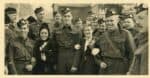
Sgt J (Jack) R Church on the left and his father CQMS Thomas R Church on the right of the bride of Sgt Church and in wedding group photo with …
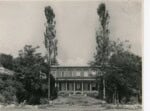
Kingswood Court 1941 – front façade of building. The 48th Highlanders had moved from Newdigate to Kingswood in Surrey in 1941.
…
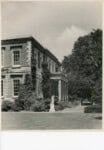
Kingswood Court, Surrey England 1941 – side view showing statues and front steps. The 48th moved from the Newdigate region to Kingswood in 1941. P0488
…
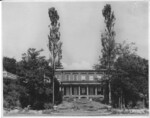
Kingswood Court 1941 exterior, England P0487
…
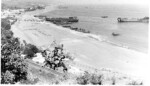
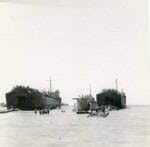
Photo marked as “loading at St. Teresa ” showing troops waiting on beach with landing ships and craft run up to the shore. The location is near the town of …
Landing at Pachino. Transport ships landing on the beaches in Sicily. Center ship is LCI or Landing Craft Infantry. P0492
…
Landing craft unloading vehicles, infantry – Pachino, Sicily 1943 P0491 The landings at Pachino were on 9 July 1943. This photo would be 9 or 10 July.
…
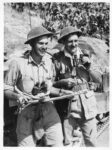
Two officers, Major Don Banton holds binoculars and Lt. Johnnie Clarkson with a clipboard and a pipe. See also P1461 Wearing hot weather uniforms and helmets with camo netting. P0493
…Use navigation buttons at the top or bottom of each ‘display’ page to navigate between displays. Only those displays that meet your filter criteria will be shown. The ‘Display list’ button takes you back to the display listing.
The artifacts listed on each ‘display’ page are all in the current display. You can click on any of these to learn more. We have flagged those you should find more informative.
Many artifact screens have links to related artifacts and and/or related Highlanders. We invite you to to explore these links if you have the time. When you have finished exploring as many artifacts and Highlanders as you want, click the “Back to Display” button (upper left corner of each screen) to return to the original display page.
When you click a link on a display page you may be taken to a page on the Museum site that does not have a ‘Back’ button. Just click the “Back” button on the toolbar at the top of the screen. In other cases, the link may point to a different web site. In that case. to return to the display page, simply switch back to this app.
We look forward to seeing you then.
We are still open for virtual tours and we will try to respond to your email messages as soon as possible.