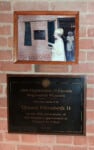
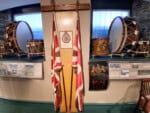
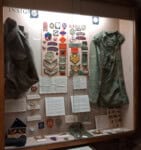
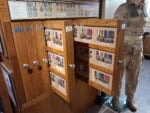
This page shows every display that can be part of your tour. You can walk the whole museum, or use the filters below to build a shorter, customized route that fits your interests and the time you have.
In addition to the Museum tour in the basement, there is a short tour of the Regimental Church upstairs.
Use the filters below to decide which displays are included in your tour. You can change your choices at any time.
1. Start with the full list. By default you’ll see all displays that can be part of the tour. Scroll down to get a sense of what’s available.
2. Choose topics that interest you. In the “Available filters” area, tap or click any filter button (pill) that matches what you’re interested in. When you select a filter, it moves into the “Selected filters” area, and the list updates automatically.
3. Watch the list update. As you add filters, the tour list and the display count will change.
4. Adjust or remove filters. To remove a filter, tap or click it again in the “Selected filters” area . It will be cleared, and the list will adjust accordingly.
5. Build a tour that matches your time. Assuming 5 minutes a dislay, the site will compute how much tie you can expect to spend.
You can change your filters at any point during your visit. The list and the route will adapt to whatever you choose.
Once you’re happy with your tour settings:
1. Tap the first display in the list. This opens the display page with photos, background information, and any related links. If you are visiting the museum in person, find that display using the instructions on the display screen.
2. Move through the tour. On each display page you’ll see Next and Previous buttons. Use these to move from case to case according to your chosen tour. The tour sequence will take you to nearest display on your customized tour. Remember that you can examine the artifact descriptions and follow any provided links later.
3. Return to the display list at any time.
You are viewing 45 displays — about 225 minutes of exploring!


Use navigation buttons at the top or bottom of each ‘display’ page to navigate between displays. Only those displays that meet your filter criteria will be shown. The ‘Display list’ button takes you back to the display listing.
The artifacts listed on each ‘display’ page are all in the current display. You can click on any of these to learn more. We have flagged those you should find more informative.
Many artifact screens have links to related artifacts and and/or related Highlanders. We invite you to to explore these links if you have the time. When you have finished exploring as many artifacts and Highlanders as you want, click the “Back to Display” button (upper left corner of each screen) to return to the original display page.
When you click a link on a display page you may be taken to a page on the Museum site that does not have a ‘Back’ button. Just click the “Back” button on the toolbar at the top of the screen. In other cases, the link may point to a different web site. In that case. to return to the display page, simply switch back to this app.
We look forward to seeing you then.
We are still open for virtual tours and we will try to respond to your email messages as soon as possible.